How to Repost on Instagram Without Getting Banned (2026 Guide)

In brief
Instagram detects reposts through perceptual image and video hashing, its content-matching algorithm and file metadata, and can quietly suppress reach (a shadowban) on anything it reads as duplicated. To repost safely, treat each upload as a fresh file: replace the metadata with realistic capture values and alter the media at the pixel level so its fingerprint no longer matches the original, while it stays visually identical.
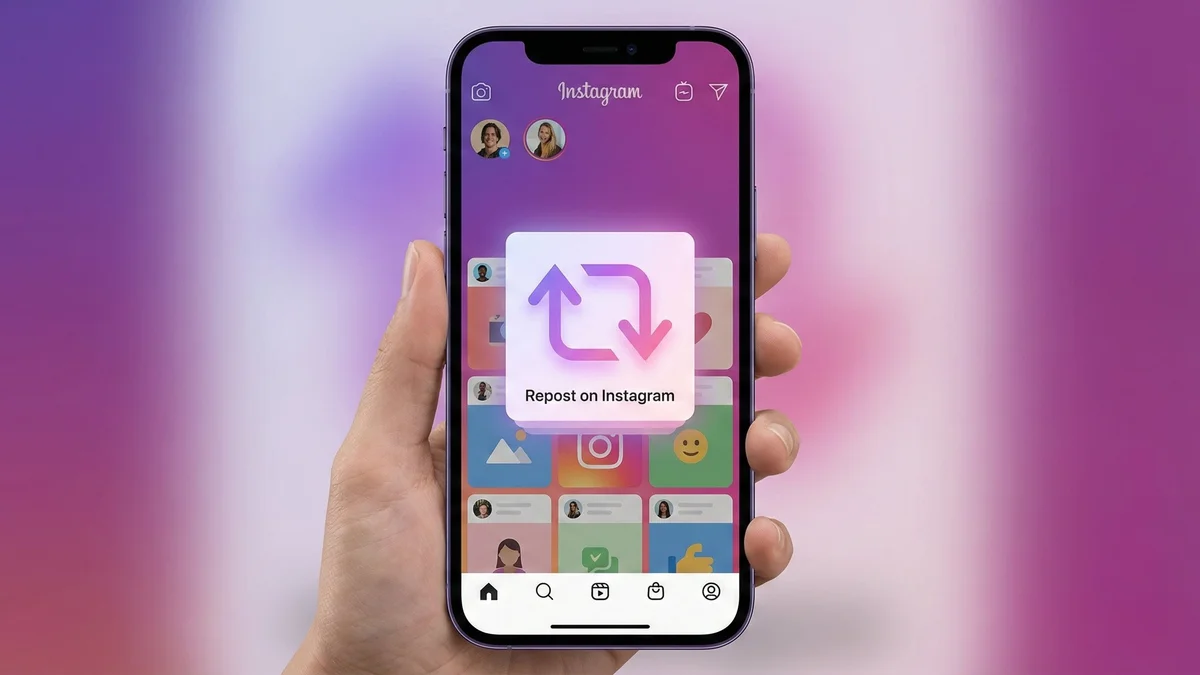
Choose the right way to repost on Instagram
Reposting can mean three different actions: using the native repost feature, sharing a post to a Story, or preparing a file for a new upload. Start with the result you want to achieve.
Use the native repost feature
- Open a public reel or feed post you want to share.
- Tap the repost icon when it is available.
- Optionally add a note, then save it.
The repost credits the original account and appears in your profile’s repost tab. This method does not create a file to import into MetaGhost.
Read Instagram’s official introduction to reposts
Share a post to a Story
To include a post in a Story, open its sharing options and check whether Story sharing is offered. Availability depends on the post and its sharing permissions. This action keeps a link to the original post.
Instagram help on sharing to a Story
Prepare a file for a new upload
- Start with a source file you own or have permission to reuse.
- Prepare the variants your workflow needs in MetaGhost.
- Review the complete output, framing and audio of the exported file.
- Import the file into a new Instagram post and review the preview before publishing.
To organize the different versions, see our guide to posting across multiple platforms. The rest of this article covers detection and file preparation for this workflow.
File preparation and content detection
Instagram is one of the most aggressive platforms when it comes to detecting and removing reposted content. If you run a theme page, curate content for your brand, or simply want to share a post you love, you have probably experienced it firsthand.
Your repost gets taken down. Your reach plummets overnight. Or worse, your account gets shadowbanned or permanently suspended.
Instagram has invested billions of dollars into automated content detection systems that flag duplicates within seconds of upload. The tricks you have been using no longer work.
Why Instagram Removes and Shadowbans Reposts
Instagram wants original content. Their algorithm rewards creators who publish new, unique posts and punishes accounts that recycle existing material. When Instagram detects a repost, several things can happen:
- Content removal: the post is taken down with a copyright strike notification, often within minutes of upload.
- Shadowban: your post stays live but becomes invisible in Explore, hashtag results, and Reels discovery. Your reach drops to near zero without any warning.
- Account penalties: repeated strikes can lead to feature restrictions (no Reels, no Stories), reduced distribution across your entire account, or permanent suspension.
- Hashtag suppression: even if the post itself is not removed, Instagram may stop showing your content under hashtags entirely.
For theme pages and content curators, this is devastating. Your entire business model depends on sharing content, yet the platform actively fights against it.
How Instagram Actually Detects Reposts
Understanding the detection pipeline is essential. Instagram does not use just one method; it layers multiple systems on top of each other, making it extremely difficult to fool with simple edits.
1. SSCD Fingerprinting (Meta's AI Copy Detection)
Meta developed a deep learning model called SSCD (Self-Supervised Copy Detection) specifically designed to catch copies of images and videos. Unlike older perceptual hashing methods, SSCD generates a 512-dimensional embedding that captures the deep visual identity of your content.
To understand the full scope of how Instagram's content matching algorithm works, you need to look beyond simple hashing. Two images that look the same to a human will produce nearly identical embeddings, even if one has been cropped, filtered, compressed, or resized.
Meta's internal threshold sits around 0.75 cosine similarity, and anything above this is flagged as a match.
2. Content ID and Rights Manager
Instagram's Rights Manager allows content owners to register their media. When you upload a post, it is automatically compared against this database. If a match is found, the original creator can choose to have your post removed, monitored, or blocked entirely. This system works across Instagram, Facebook, and Threads simultaneously.
3. Metadata Analysis
Every image file contains EXIF metadata: camera model, lens information, GPS coordinates, timestamps, software tags, and unique identifiers.
When you download an image from Instagram and re-upload it, the metadata either matches the original exactly (instant flag) or is completely stripped (also suspicious, since legitimate photos always carry device metadata). Instagram cross-references metadata patterns to detect bulk reposting behavior.
4. Upload Pattern Detection
Beyond the content itself, Instagram monitors your upload behavior. Accounts that post large volumes of content at regular intervals, especially content that triggers partial matches against existing posts, get flagged for algorithmic review. This is why some theme pages see their reach collapse even when individual posts are not removed.
Common Mistakes That No Longer Work
The internet is full of outdated advice. Here is what people still recommend that Instagram's detection systems now see right through:
Cropping and Resizing
SSCD is specifically designed to be invariant to cropping and resizing. The model processes images at 224x224 pixels internally, so your 4K crop looks exactly the same as the original to the AI. Cropping changes zero percent of the deep visual features that matter.
Adding Filters and Overlays
Instagram filters, color adjustments, borders, and text overlays are surface-level pixel changes. The SSCD model was trained with data augmentation that includes these exact transformations. A filtered copy produces nearly the same embedding as the original.
Flipping or Mirroring
Horizontal flips were one of the first augmentations included in copy detection training data. The model treats a mirrored image as identical to the original. Vertical flips are similarly ineffective and also make the content look unnatural.
Watermark Removal
Removing a watermark does not change the underlying visual fingerprint. The SSCD embedding is computed from the entire image, not just the watermark region. You also risk additional copyright violations by removing creator attribution.
Screenshotting
Taking a screenshot of an Instagram post and re-uploading it introduces compression artifacts and resolution changes, but the SSCD fingerprint remains virtually unchanged. Screenshots are one of the easiest things for the detection system to catch.
What Actually Works: A Step-by-Step Approach
To reliably bypass Instagram's detection in 2026, you need to address every layer of the pipeline simultaneously. Here is the framework:
Step 1: Metadata Reconstruction
Do not just strip metadata. Replace it with realistic device metadata. The file should contain authentic EXIF data from a real device model (iPhone 16, Samsung Galaxy S25, etc.) with a unique timestamp, plausible GPS coordinates, and correct software version strings. This makes the upload look like a brand new photo taken on a real phone, not a downloaded copy.
Step 2: Pixel-Level Modifications
Subtle changes to the image's compression profile, color space, and pixel values can shift the perceptual hash without visible quality loss. This includes re-encoding at specific quality levels, adjusting the JPEG quantization tables, and introducing controlled noise patterns. These changes alone are not enough to beat SSCD, but they help with the simpler hash-based checks.
Step 3: Adversarial AI Perturbation
This is the critical layer that defeats SSCD and other deep learning detectors. Adversarial perturbations are mathematically computed modifications that are invisible to the human eye but fundamentally change how the AI model interprets the image.
Instead of random noise, these perturbations are specifically targeted to push the SSCD embedding away from the original, dropping the cosine similarity below the detection threshold.
The key challenge is that these perturbations must survive Instagram's own processing pipeline: JPEG recompression, resizing, and color space conversion. Naive adversarial attacks get destroyed by this processing. Effective approaches use techniques like gradient projection to ensure the perturbation stays within the frequency bands that survive platform compression.
MetaGhost: The Complete Solution
MetaGhost was built specifically to solve this problem. It combines all three layers (metadata injection, pixel-level modification, and adversarial AI) in a single, automated pipeline optimized for each target platform.
When you process an image through MetaGhost for Instagram, it:
- Generates authentic device metadata matching a real smartphone model
- Applies platform-specific pixel and compression modifications
- Computes adversarial perturbations using the same SSCD model that Meta uses for detection, ensuring maximum effectiveness
- Optimizes the output for Instagram's specific resolution and compression pipeline
The result is a file that looks identical to the original to the human eye but registers as completely unique content to Instagram's detection systems. In testing across every major Instagram format (feed posts, Stories, Reels), MetaGhost achieves a 100% bypass rate.
Tips for Theme Page Owners and Content Curators
Beyond the technical processing, here are practical strategies to protect your Instagram account while reposting:
- Process every single upload: do not skip MetaGhost processing for any post, even if you think it is too obscure to be detected. Instagram's database is massive and growing.
- Vary your posting schedule: avoid uploading at perfectly regular intervals. Mix up your posting times to avoid triggering pattern-based detection.
- Use platform-specific presets: an image optimized for Instagram feed (1080x1350) needs different processing than one for Stories (1080x1920) or Reels. Match the preset to the format.
- Credit original creators: even with undetectable reposts, tagging the original creator in your caption is good practice. It reduces manual reports and builds community goodwill.
- Monitor your insights: if you notice a sudden reach drop, pause posting for 24-48 hours. Shadowbans are usually temporary if you stop the flagged behavior quickly.
- Maintain a content buffer: process your content in advance so you are not rushing and tempted to skip the protection step.
Reposting on Instagram in 2026 requires more than basic edits. The platform's AI-powered detection systems see through crops, filters, and screenshots instantly. The only reliable approach is to address every detection layer simultaneously: metadata, pixel fingerprint, and deep learning embeddings.
Ready to repost without fear of bans or shadowbans? Get started with MetaGhost and make every upload look like an original.
For the file-preparation step, read our guide to managing photo and video metadata and explore how duplicate content detection works.
Sources and documentation
Instagram / Meta
Native reposts on InstagramPublic reels and feed posts, attribution and the repost action.
Meta AI · CVPR 2022
A Self-Supervised Descriptor for Image Copy DetectionPublished research on image copy detection with learned descriptors.
Frequently Asked Questions
Can you get shadowbanned for reposting on Instagram?
Yes. When Instagram recognizes a video or image as a duplicate of existing content, it can quietly reduce its distribution. The suppression is rarely announced, which is why reposts often just underperform for no obvious reason.
Does Instagram detect content reposted from another account?
It can. Instagram matches uploads against content it has already indexed regardless of which account posts it, using perceptual hashes of the media rather than the account name or caption.
How do you repost on Instagram without it being flagged?
Change what the detector measures: give the file fresh, realistic metadata and modify the media at the signal level so its perceptual hash falls outside the match threshold, while keeping it visually identical.
Help us improve
Did this guide solve your problem?
Ready to create your next repost?
Try MetaGhost and make every repost unique and undetectable.
Discover MetaGhostRelated Articles
How to Bypass Social Media Content Detection in 2026
A complete breakdown of every detection layer platforms use (metadata, hashing, and AI models) and the only approach that defeats all three simultaneously.
Top 5 Ways to Make a Video Unique for Social Media in 2026
Five methods to make a video unique ranked, from re-shooting to adversarial AI. Which approaches bypass platform detection and which waste your time.
MetaGhost vs Manual Editing: Why Pixels Aren't Enough
Compare manual editing (crop, filter, border, mirror, speed change) against MetaGhost. Why none defeat modern AI detection and what actually works.
How to Repost on Snapchat and Dating Apps Safely
Dating apps like Bumble, Tinder, and Badoo flag duplicate images across profiles. Learn how MetaGhost makes each photo unique per platform.
How to Repost on X (Twitter) Without Getting Shadowbanned
How X/Twitter detects duplicate media, how shadowbanning works (search ban, ghost ban, reply deboosting), and how to repost safely.
How to Repost on YouTube Without Copyright Strikes in 2026
How YouTube Content ID fingerprints video and audio, why re-encoding fails, and how adversarial AI bypasses copyright detection for compilations.