How to Remove Metadata From Photos & Videos (2026 Guide)

In brief
Metadata like EXIF, IPTC and XMP is embedded in photo and video files and reveals device, timestamps and edit history. You can strip it with editing tools or dedicated utilities, but fully empty metadata can itself look suspicious, so replacing it with a realistic, complete set is often better than simply removing it.
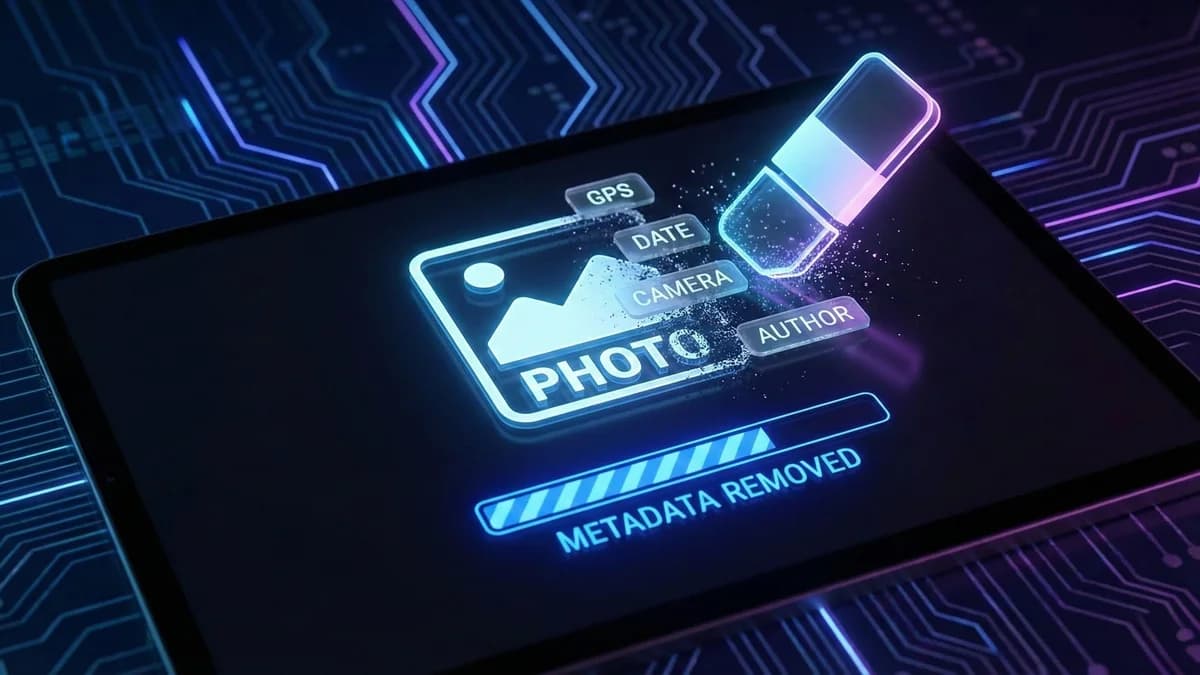
Every photo and video you create is packed with hidden data that travels with the file wherever it goes. This metadata can reveal your location, your device, your editing software, and more.
Whether you are sharing content on social media, sending files to clients, or uploading to cloud storage, understanding what metadata is embedded and how to handle it properly is essential for protecting your privacy.
Remove metadata: two practical methods
Start with a copy of your file. These examples use ExifTool for a JPEG and FFmpeg for an MP4. Install the tools from their official websites, then open a terminal in the folder containing your files.
1. JPEG photo: inspect, create a copy, check
Replace photo.jpg with your filename. The second command creates photo-clean.jpg and preserves the source. Choose an output filename that does not already exist.
exiftool -G1 -a -s "photo.jpg"
exiftool -all= -o "photo-clean.jpg" "photo.jpg"
exiftool -G1 -a -s "photo-clean.jpg"
Compare GPS, camera and author fields before and after. The -all= option can also remove orientation and color-profile data, so open the output to check its appearance. Dimensions, format and filesystem information may remain visible. This example covers JPEG, not every RAW or video format.
ExifTool documentation: deletion and output files
2. MP4 video: create a new output without re-encoding
This command copies the first video track and optional audio tracks. It disables automatic copying of global metadata, track metadata and chapters. Subtitle and data tracks are excluded from this example.
ffmpeg -n -i "video.mp4" -map 0:v:0 -map "0:a?" -c copy -map_metadata -1 -map_metadata:s -1 -map_chapters -1 "video-clean.mp4"With -c copy, the selected tracks are not re-encoded. With -n, an existing output is not overwritten. Technical container information and some data embedded in the streams may remain.
FFmpeg stream-selection and metadata options
3. Inspect the resulting video
ffprobe -v error -show_format -show_streams -show_chapters -of json "video.mp4"
ffprobe -v error -show_format -show_streams -show_chapters -of json "video-clean.mp4"
Compare the tags, codecs, duration and dimensions in both reports. Play the video to check framing, orientation and audio. A missing field in this report does not prove that every embedded piece of information is gone.
A checked example using demonstration files
Checked on September 9, 2026 with ExifTool 13.59 and FFmpeg 6.1.1: one JPEG and two H.264 MP4s, with and without AAC audio. The source files remained unchanged.
| Check | Before | After |
|---|---|---|
| JPEG: GPS, camera, author | Test fields present | Test fields removed |
| JPEG: decoded pixels | 640 × 360 | Identical for this file |
| MP4: title, comment, location | Test fields present | Test fields removed |
| MP4: video/audio packets | H.264 / AAC | Identical for these files |
This check describes these specific files. It does not measure visual content matching or platform behavior after publication. In a repost workflow, metadata management remains one step among others.
What Metadata Is Embedded in Your Photos
Digital photos contain several layers of metadata, each written automatically by your device and any software that processes the file afterward.
EXIF Data
EXIF (Exchangeable Image File Format) is the most extensive metadata standard. It records:
- Camera make and model: the exact device, such as Apple iPhone 16 Pro or Canon EOS R5. This includes the internal hardware identifier unique to that device family.
- Lens information: focal length, maximum aperture, and lens model. On smartphones, this identifies which camera module (wide, ultrawide, telephoto) captured the shot.
- GPS coordinates: latitude, longitude, and often altitude, typically accurate to within a few meters. This is the single biggest privacy risk in photo metadata.
- Timestamp: the exact date, time, and timezone offset when the photo was taken.
- Exposure settings: ISO, shutter speed, white balance, flash status, and metering mode. These values form a unique fingerprint of the shooting conditions.
- Software: the application or firmware that last processed the image. This field reveals whether the file was saved by the native camera app, edited in Lightroom, or run through batch-processing software.
- Unique image IDs: some cameras and phones embed a unique identifier or serial number that can be traced to a specific device.
- Embedded thumbnail: a small preview image stored inside the metadata. Crucially, this thumbnail sometimes retains the original uncropped composition even after the main image has been cropped or edited.
IPTC Data
IPTC (International Press Telecommunications Council) metadata is primarily used by photographers and news agencies. It stores copyright information, image descriptions, keywords, author names, and usage rights. If you have ever added a copyright notice to a photo in Lightroom or Bridge, it was written to the IPTC fields.
XMP Data
XMP (Extensible Metadata Platform) is Adobe's metadata standard. It records the full editing history of a file: which software was used, what adjustments were applied, the order of edits, and version information. XMP essentially creates a forensic trail of every tool that has touched the file from creation to export.
Video Container Metadata
Videos carry their own set of embedded data within the container format (MP4, MOV, MKV). This includes the encoder used (x264, HEVC, ProRes), bitrate and resolution settings, creation and modification dates, GPS location, device model, and audio codec information. Some containers also store chapter markers, subtitle tracks, and custom tags written by editing software.
Why You Should Remove Metadata
There are three compelling reasons to strip metadata from your files before sharing them.
Privacy
GPS coordinates embedded in a photo taken at your home reveal your home address. Timestamps reveal your daily routine. Device identifiers can link multiple uploads to the same person even across different accounts. For anyone who values their personal safety and digital privacy, leaving this data intact is a significant risk.
Security
The software chain recorded in EXIF and XMP metadata reveals your entire editing workflow. If you are processing content through specific tools, that information becomes visible to anyone who inspects the file. For businesses and professionals, this can expose proprietary workflows or reveal that content has been modified in ways that were meant to remain private.
Detection Avoidance
Social media platforms use metadata as a first-pass check in their content detection pipeline. Before they even analyze the pixels, they examine the metadata. Identical or matching metadata between two uploads is a fast, cheap signal that flags content as a potential duplicate. Platforms cross-reference device IDs, timestamps, and file structure to identify reposted content before the more expensive AI-based detection kicks in.
The Problem With Just Removing Metadata
Here is the critical issue that most privacy guides overlook: stripped metadata is itself a signal. Removing all metadata does not make a photo look normal. It makes it look suspicious.
Every photo taken by a real smartphone contains complete EXIF data. It is written automatically by the camera hardware and is always present in an unedited file straight from the device. When a social media platform receives an upload with zero metadata, it knows immediately that the file is not an original capture. The absence of metadata tells the platform one of three things: the file was downloaded from the internet, it was screenshotted, or the metadata was deliberately removed. All three scenarios indicate that the uploader is not the original creator.
Platforms use this signal as part of their content authenticity scoring. A file with no metadata starts with a lower trust score. Combined with other signals like perceptual hash matches, behavioral patterns, or IP-based analysis, stripped metadata can push your content into the flagged, suppressed, or shadow-banned category. In some cases, having no metadata at all is worse than having the wrong metadata, because total absence is a clear indicator of manipulation or download.
This creates a paradox for anyone concerned with privacy or content reuse. Leaving metadata intact exposes your personal information. Removing it flags your upload as suspicious. Neither option is good.
The Better Approach: Inject Realistic Metadata
The solution to this paradox is not to strip metadata, but to replace it with realistic, consistent metadata that makes the file look like a fresh capture from a real device. Instead of a blank slate that screams "this file has been processed," the file should contain exactly the kind of metadata a platform expects to see from an original photo.
This means injecting a real camera model (like iPhone 16 Pro or Samsung Galaxy S25 Ultra), a plausible recent timestamp with the correct timezone for the upload location, realistic GPS coordinates, appropriate lens and exposure parameters that match the specified device, and a native camera app software signature. The metadata needs to be internally consistent: the exposure settings should make sense for the camera model, the lens data should match a real module on that device, and the software field should reflect the actual firmware version.
This is exactly what MetaGhost does. Rather than leaving your files naked and suspicious, MetaGhost generates complete, authentic-looking EXIF data tailored to each output file. Every processed photo and video receives a full metadata profile that passes platform authenticity checks. The camera model, timestamps, GPS, exposure parameters, lens data, and software chain are all realistic, consistent, and unique per file.
This metadata injection is one layer of MetaGhost's three-layer approach. Combined with adversarial AI perturbation that defeats perceptual hashing and neural copy detection, and pixel-level adjustments that ensure visual uniqueness, the metadata layer ensures that the very first check in a platform's detection pipeline sees nothing unusual. The file looks exactly like what it claims to be: an original photo, freshly taken on a real device, uploaded for the first time. For a complete walkthrough of the full repost workflow, see our guide on how to repost without detection.
Ready to stop worrying about metadata exposure and detection flags? Get started with MetaGhost and make every upload look authentically original from the inside out.
Continue with the Instagram repost guide or explore perceptual hashing and visual matching.
Sources and documentation
ExifTool · Phil Harvey
ExifTool application documentationReading supported tags, deletion options and separate output files.
FFmpeg
FFmpeg documentationStream selection, streamcopy, metadata mappings and chapters.
FFmpeg
ffprobe documentationInspecting container and stream information in a JSON report.
Frequently Asked Questions
How do I remove metadata from a photo or video?
Editing software and dedicated metadata tools can strip EXIF, IPTC and XMP fields. On phones, some share options also remove location data on export.
Does removing metadata make a file untraceable?
No. It removes some signals but not embedded fingerprints or watermarks, and empty metadata is itself an unusual pattern some platforms flag.
Is it better to strip or replace metadata?
Replacing metadata with realistic, complete values usually looks more natural than stripping it, since a real capture is never entirely blank.
Help us improve
Did this guide solve your problem?
Ready to create your next repost?
Try MetaGhost and make every repost unique and undetectable.
Discover MetaGhostRelated Articles
How to Bypass Social Media Content Detection in 2026
A complete breakdown of every detection layer platforms use (metadata, hashing, and AI models) and the only approach that defeats all three simultaneously.
How to Repost on YouTube Without Copyright Strikes in 2026
How YouTube Content ID fingerprints video and audio, why re-encoding fails, and how adversarial AI bypasses copyright detection for compilations.
My Post Was Removed for Copyright: What to Do
Why platforms remove posts for copyright, how Content ID and Rights Manager work, how to appeal, and how to prevent future takedowns.
How to Avoid Duplicate Content Penalties on Social Media
What duplicate content penalties are, how each platform handles them, the difference between shadowban and removal, and how to stay visible.
Why Your Reposts Get Shadowbanned (And How to Fix It)
What shadowbanning really is, how platforms use it against reposts, and proven methods to avoid silent suppression on Instagram, TikTok, and Facebook.
How to Repost Videos on Facebook Without Detection
How Facebook uses SSCD and Rights Manager to flag video reposts, why traditional tricks fail, and how adversarial AI makes your uploads undetectable.