Why Your Link-in-Bio Is Not Converting (And How to Fix It)

In brief
A link-in-bio that gets clicks but no conversions usually fails at clarity or trust: too many options, a weak call to action, slow load, or a destination that does not match what the post promised. Fixing conversion means one clear primary action, fast mobile load, and message-match between the post and the landing page.
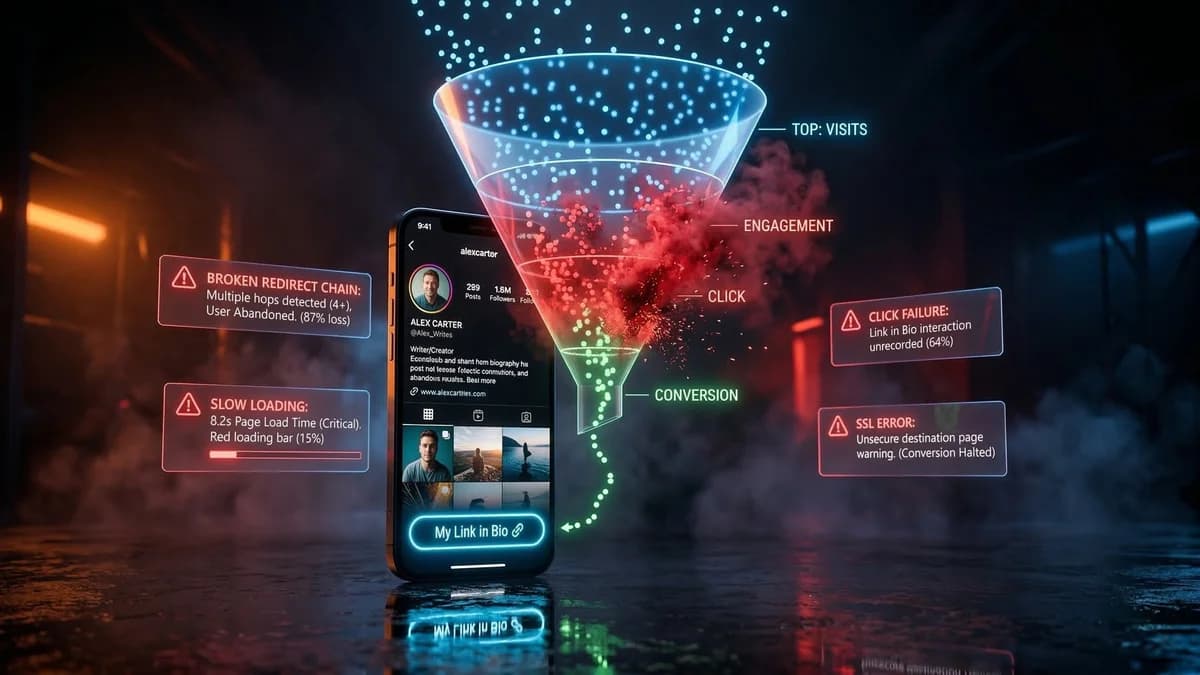
Your content is performing well. Views are up, engagement is solid, and your follower count is growing. But when you check your landing page analytics, the numbers tell a different story.
Barely anyone is clicking your bio link, and the people who do click are not converting. The traffic that should be turning into revenue is vanishing somewhere between your post and your checkout page.
The content works. The audience is there. But the link is broken in ways that are not immediately obvious.
The In-App Browser Problem
This is the single biggest conversion killer that most creators do not even know exists. When someone taps your bio link on Instagram, TikTok, or Facebook, the platform does not open it in Safari or Chrome. It opens in a stripped-down built-in browser that sits inside the app.
This in-app browser creates multiple problems:
- No saved passwords or payment info. The in-app browser does not have access to saved login credentials, autofill data, or payment methods. Every form field has to be filled in manually on a phone keyboard.
- Cookie and session issues. Separate cookie storage means tracking pixels fire incorrectly or not at all. Retargeting and conversion tracking become unreliable.
- Payment processor conflicts. PayPal, Stripe checkout, and Apple Pay often do not work properly in in-app browsers. The payment flow breaks, redirects fail, or the user gets stuck in an authentication loop.
- Slow loading. A page that loads in 1.5 seconds in Chrome might take 4 seconds in the Instagram browser. Every extra second costs you conversions.
The fix is deep links that force the URL to open in the user's native browser. Saved passwords, payment methods, and a reliable browsing experience. Some creators report 20 to 30% higher conversion rates just from this one change.
Your Link Is Shadowbanned
If your click-through rate has dropped suddenly while your content impressions stayed the same, your link might be shadowbanned.
Platforms flag and suppress links they consider suspicious, and they never notify you when this happens. Your bio still shows the link, people can still see it, but the platform is either suppressing posts that reference it or adding warning screens that scare visitors away.
We covered this in depth in our guide on how to protect your bio links from shadowbans. The short version: shared domains, rapid link changes, direct affiliate URLs, and cross-account patterns all trigger suppression.
Redirect Chains Are Eating Your Traffic
Every redirect between your bio link and the final destination costs you visitors. A basic link-in-bio setup often involves multiple hops:
- Bio link goes to the link-in-bio service
- Service redirects to your landing page
- Landing page redirects to checkout
Each redirect adds 500ms to 2 seconds of latency on mobile. Three redirects at 1 second each means your visitor waits 3 seconds just to see your page.
According to Google's research, 53% of mobile visitors leave a page that takes longer than 3 seconds to load. You are losing half your traffic before they even see your offer.
The fix: direct links that go straight from the tap to the final destination with zero or one intermediate redirect.
Your Landing Page Does Not Match the Promise
This is a content problem, not a technical one, but it kills conversions just as effectively.
If your post promotes "50% off my course this weekend" and the landing page shows a full-price product with no mention of the discount, visitors bounce immediately. The same happens when a Reel about fitness tips links to a generic homepage instead of the specific workout plan mentioned in the video.
Every link should lead to a page that directly delivers what the content promised. Dedicated landing pages for specific campaigns always outperform generic homepages.
You Have No Idea Where Your Traffic Goes
If you are not tracking clicks, you are flying blind. Many creators set their bio link and never look at the data.
Basic click counts are a start, but what really matters is understanding the quality of your traffic:
- How much of your traffic is bots versus real humans?
- What percentage comes from each platform?
- What countries are your visitors from?
- Are mobile visitors converting differently from desktop?
Without this data, you cannot optimize anything because you do not know what is broken.
Platform Bots Are Inflating Your Numbers
Not every click on your bio link is a real person. Platform crawlers, security scanners, preview bots, and automated systems all generate clicks that show up in basic analytics.
If 30% of your "traffic" is actually bots, your real conversion rate is higher than you think, but your revenue is lower than it should be. Bot filtering is not something most link tools offer, but it makes a real difference in understanding your actual performance.
You Are Sending Everyone to the Same Link
If you run multiple accounts, post across several platforms, or target different audience segments, sending all your traffic to the same link is leaving money on the table.
A fitness influencer's TikTok audience (younger, mobile-first, impulse buyers) responds to different offers than their Facebook audience (older, more deliberate, comparison shoppers).
Geo-targeting is another missed opportunity. Sending French-speaking visitors to an English landing page or US visitors to a product that does not ship internationally creates unnecessary friction. Routing visitors to the right page based on their location can meaningfully improve conversion rates.
How to Fix All of This
The problems above share a common theme: they are all infrastructure problems, not content problems. Your content is doing its job by generating attention. The failure happens in the pipes between that attention and your revenue.
LinkScale addresses every one of these issues in a single platform:
- Deep links bypass the in-app browser
- Multi-domain rotation + cloaking prevent link shadowbanning
- Direct link routing minimizes redirect hops
- Bot detection analytics give you accurate traffic data
- GeoFilter routes visitors to the right landing page
- A/B testing lets you compare different link setups
Creators using LinkScale report a 22% average increase in conversion rate compared to single links, and its safe page system has maintained a 0% shadowban rate since launch. For anyone running theme pages, faceless brands, or any monetized social media operation, these are not marginal improvements.
Content Gets You Attention. Links Get You Paid.
The best content strategy in the world means nothing if your monetization funnel leaks. Fixing your link infrastructure is often the highest-ROI change you can make because it multiplies the value of every piece of content you have already created.
And if your content itself is getting suppressed by duplicate detection before it even reaches your audience, that is a separate problem. MetaGhost makes every upload unique to platform detection, ensuring your content gets the full reach it deserves. Combined with proper link protection, you have a complete pipeline from creation to conversion.
Frequently Asked Questions
Why do people click my bio link but not convert?+
Usually because the page offers too many choices, loads slowly, or does not deliver what the post promised, so visitors leave before acting.
How many links should a link-in-bio page have?+
Fewer is better for conversion. One clear primary action outperforms a long list that splits attention.
How do I improve link-in-bio conversion?+
Lead with a single clear call to action, make it load fast on mobile, and ensure the destination matches the promise of the content that drove the click.
Help us improve
Did this guide solve your problem?
Ready to protect your content?
Try MetaGhost and make every repost unique and undetectable.
Discover MetaGhostRelated Articles
Best Link-in-Bio Tools for Creators: 6 Tested (2026)
Linktree vs Beacons vs Taplink vs LinkScale: compared on conversion, link protection, analytics, and pricing. Find the right tool for your creator business.
How to Protect Your Bio Links from Getting Shadowbanned
How platforms detect and flag bio links, what triggers link shadowbanning, and how to protect your traffic with cloaking, domain rotation, and deep links.
How Platforms Detect AI-Generated Content in 2026
Platforms flag AI content through C2PA metadata, IPTC tags, and EXIF markers. Learn what triggers the Made with AI label and how to remove it from your photos and videos.
The Complete Guide to Cross-Posting on Social Media in 2026
How to cross-post across Instagram, TikTok, Facebook and more without triggering duplicate detection. Best practices and how to make each version unique.
Best Tools to Make Your Content Unique in 2026
Compare metadata cleaners, video editors, re-encoding tools, and AI watermark removers vs MetaGhost. Which tools address all three detection layers?
UGC Content: How to Repurpose User-Generated Content Legally
What UGC is, the legal framework for repurposing user-generated content, how to collect it at scale, and how to solve duplicate detection issues.